Installation
Install nixmac on macOS
Requirements
- Apple Silicon Mac
- macOS 12 (Monterey) or newer
- Administrator privileges (required for nix-darwin activation)
- Full Disk Access permission (required for
darwin-rebuildover SSH) - ~2 GB of free disk space for the Nix store
- AI provider access for Evolve: an OpenRouter API key or a local Ollama model
Install nixmac
Download the app
Download the latest .dmg from nixmac.com/download. Open the .dmg, drag nixmac to your Applications folder, and launch it.
Build from source
git clone https://github.com/darkmatter/nixmac.git
cd nixmac
bun install
bun run dev:native
First launch
On first launch, nixmac will:
- Check for Nix — if Nix is not installed, nixmac downloads and runs the Determinate Nix Installer (a
.pkginstaller). This requires administrator privileges. - Check for darwin-rebuild — if not available, nixmac prefetches it from
nix-darwin/master. - Bootstrap your config — if you don't have an existing nix-darwin configuration, nixmac creates one at
~/.darwin/using its bundlednix-darwin-determinatetemplate. - Request permissions — nixmac needs administrator privileges and Full Disk Access. The app will guide you through granting these in System Settings → Privacy & Security.
Configure AI access
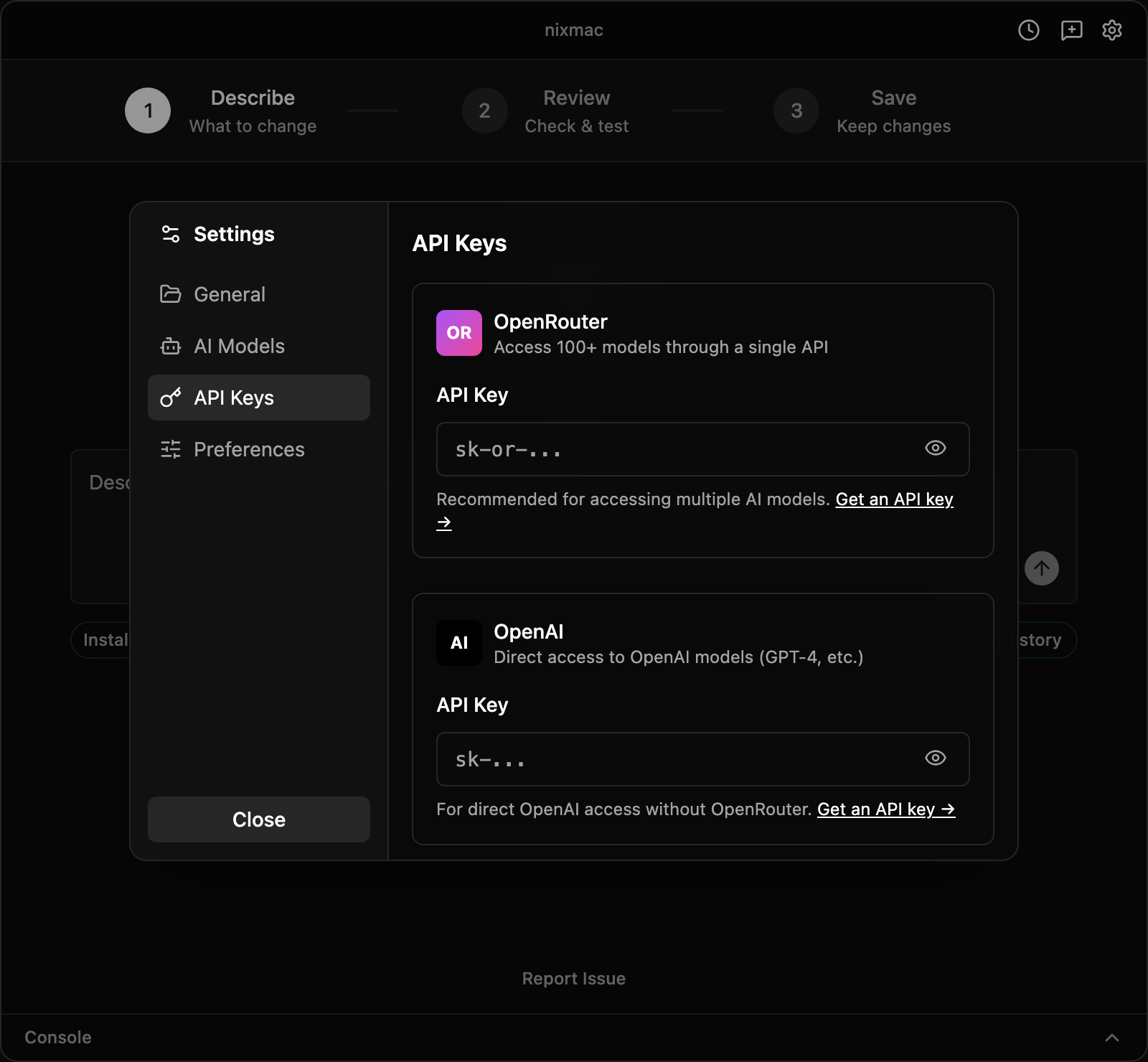
nixmac can install Nix and bootstrap your nix-darwin config without an AI key, but the Evolve agent needs an AI provider before it can answer prompts or edit your config.
For your first run, use one of these provider paths:
- OpenRouter — recommended for cloud models. Paste an OpenRouter API key from openrouter.ai/keys. nixmac defaults to
anthropic/claude-sonnet-4for Evolution andopenai/gpt-4o-minifor Summary; change them in Settings → AI Models if you want different models. - Ollama — local models running on your Mac. Install Ollama separately, pull a model that can handle code-editing prompts, and set the Ollama API base URL if you are not using the default local endpoint.
Advanced self-hosted and external CLI providers are covered in Evolve. They are useful when you already operate that infrastructure, but they are not the recommended first-run setup.
API keys are stored in your macOS Keychain. Endpoint URLs are stored in nixmac's local app settings. nixmac does not write provider credentials into your ~/.darwin/ config repository or commit them to git.
What gets installed?
- The nixmac app — a native macOS application (Tauri + Rust + React)
- Nix — the package manager, installed via the Determinate Nix Installer in
/nix/store - darwin-rebuild — the nix-darwin rebuild tool, prefetched from
nix-darwin/master
Permissions
nixmac requires these macOS permissions (the app will guide you through granting each one):
- Desktop Folder Access — needed to manage and sync desktop files and configurations
- Documents Folder Access — needed to access configuration files in protected locations
- Administrator Privileges — needed to run
darwin-rebuild, which activates your nix-darwin configuration system-wide - Full Disk Access — needed for
darwin-rebuildto access protected macOS directories. Go to System Settings → Privacy & Security → Full Disk Access and add nixmac.
nixmac will prompt you for each permission during onboarding and will not proceed until all required permissions are granted.
Existing Nix installations
If you already have Nix installed (via the Determinate installer, nix-installer, or manually), nixmac will detect it and skip the Nix installation step.
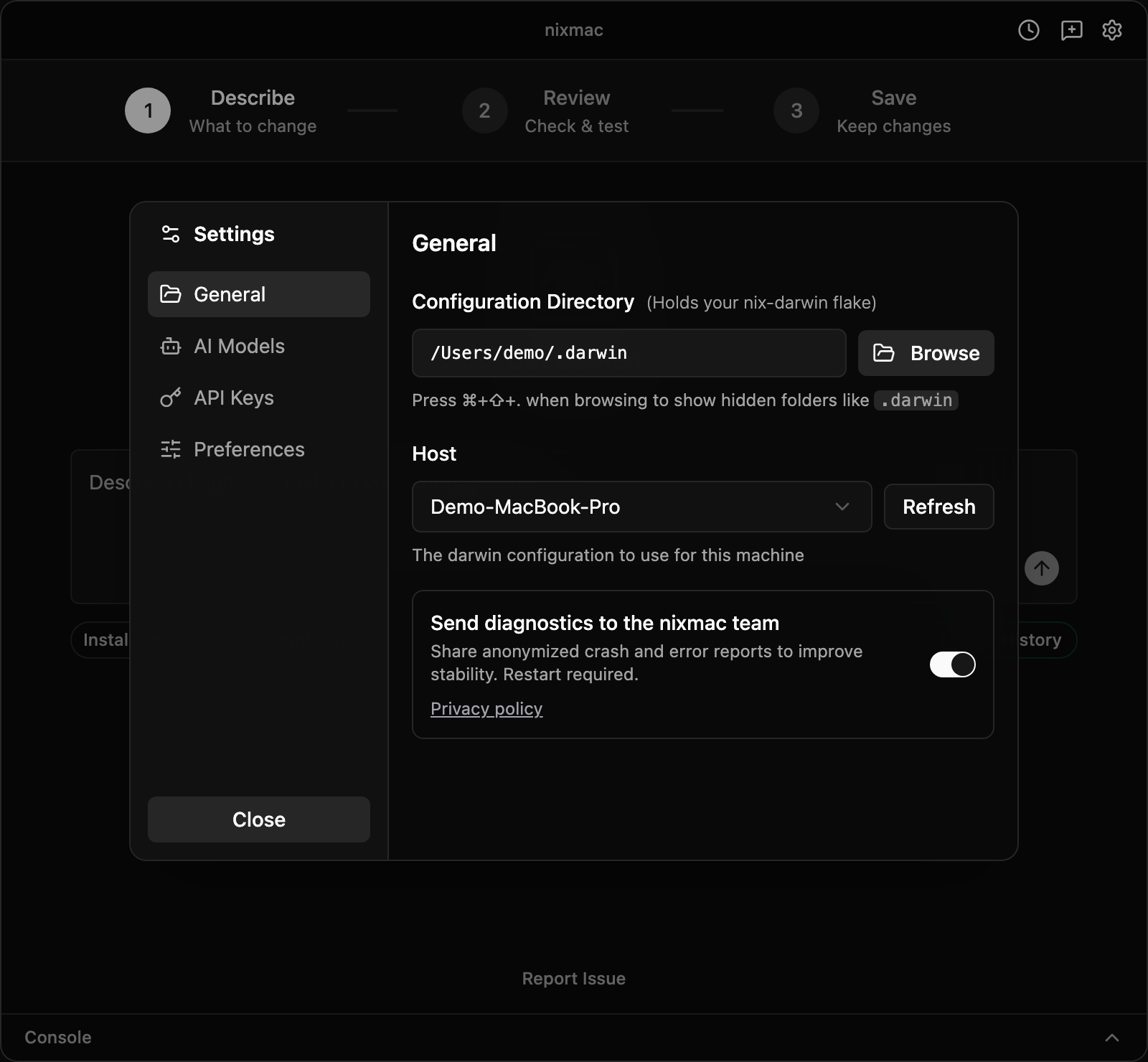
If you have an existing nix-darwin configuration, you can point nixmac at it by changing the config directory in the app's settings. nixmac works with standard nix-darwin flakes.
What does nixmac modify?
/nix/store— Nix package store (standard, isolated)/nix/var— Nix daemon state~/.darwin/— your nix-darwin configuration (default location, configurable)- macOS system settings — the ones explicitly declared in your nix-darwin config
- Homebrew-managed locations — if your config declares Homebrew formulae or casks, nix-darwin may install them through Homebrew under
/opt/homebrewor/usr/local, depending on your Mac
nixmac edits your configuration files. Nix, nix-darwin, and Homebrew perform the system changes during activation.