Welcome to nixmac
An AI coding agent for nix-darwin configuration on macOS
nixmac is an AI-powered desktop app for managing your nix-darwin configuration on macOS. Tell it what you want in plain English, and it edits your Nix configuration files for you.
Under the hood, nixmac uses standard nix-darwin — the same flake structure, the same modules, the same darwin-rebuild workflow. nixmac adds an AI layer on top that understands your intent and makes the right edits.
Quick links
Installation
Get nixmac running on your Mac
Quickstart
Your first session with nixmac
Config as Code
Your nix-darwin configuration explained
Flakes
How nixmac uses Nix flakes and nix-darwin
What does nixmac do?
nixmac sits between you and your nix-darwin configuration:
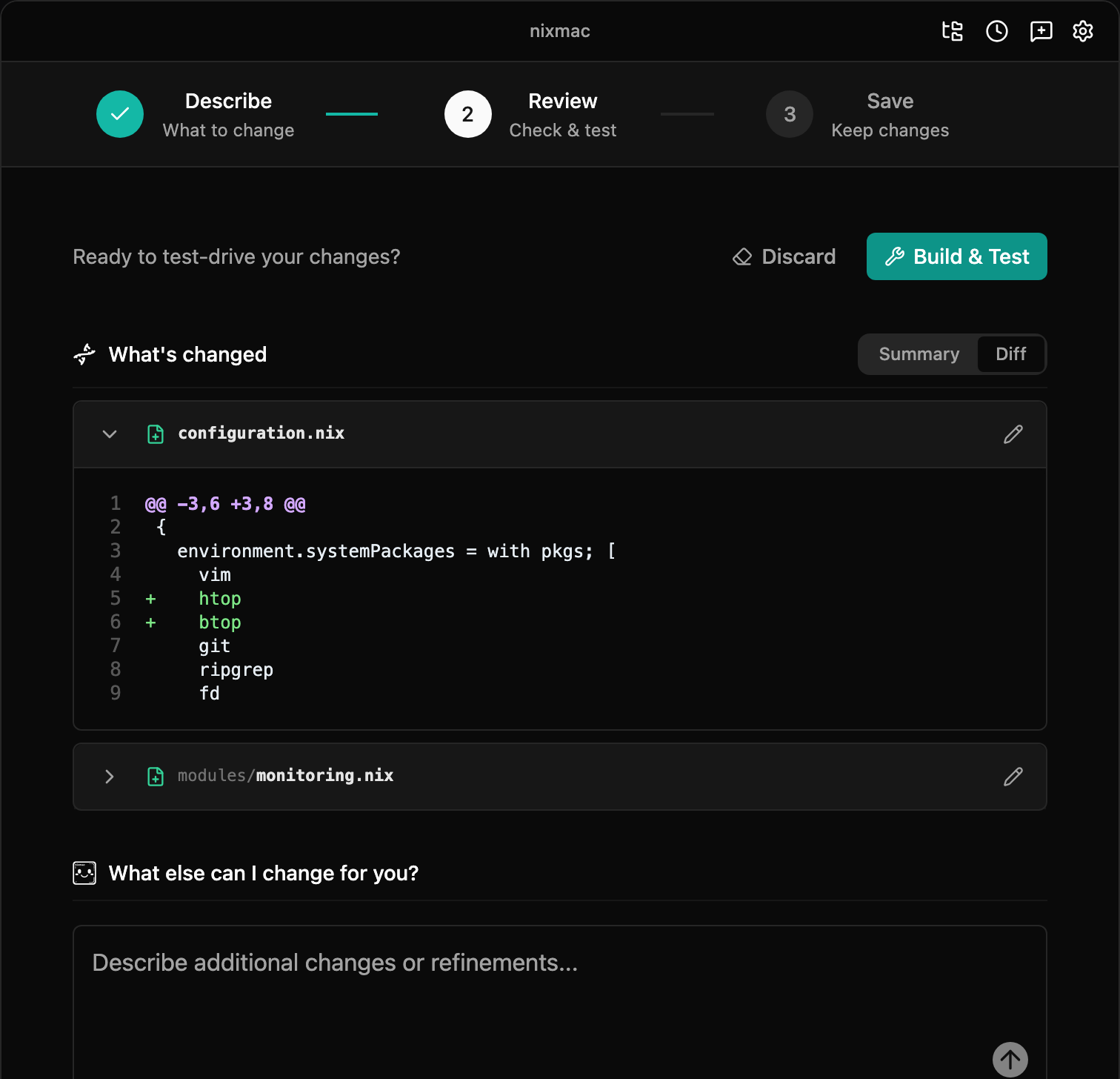
- You describe what you want — "install ripgrep and configure zsh with syntax highlighting"
- nixmac's AI agent edits your Nix files — it reads your
~/.darwin/config, understands the structure, and makes targeted edits to the right modules - You build, apply, and save — nixmac shows you the changes. Build & Test activates them, Commit records them in git, and Undo All returns to the previous committed state.
You can also edit your nix-darwin config directly — nixmac doesn't lock you in. Your configuration is standard Nix that works with darwin-rebuild independently of nixmac.
Who is it for?
- Developers new to Nix who want to manage their Mac declaratively without learning Nix syntax from scratch
- Existing nix-darwin users who want a faster way to make configuration changes
- Teams who want to standardize Mac setups across machines
What nixmac is not
- nixmac is not a replacement for nix-darwin — it uses nix-darwin under the hood
- nixmac does not hide the Nix layer — your config is plain
.nixfiles you can read, edit, and version-control - nixmac does not require you to use the AI — you can always edit your config manually and run
darwin-rebuild switchyourself