Evolve
How nixmac's AI agent works under the hood
"Evolve" is nixmac's core feature — an AI coding agent that edits your nix-darwin configuration based on natural-language prompts.
How it works
When you give nixmac a prompt (via the app's chat interface or the CLI), the AI agent:
- Reads your configuration — scans your
~/.darwin/directory to understand the current state - Plans the changes — determines which files and attributes to modify
- Edits your Nix files — uses structured editing tools to make targeted changes to the right modules (e.g., adding a package to
environment.systemPackagesinmodules/darwin/packages.nix) - Runs build checks — validates the configuration while it works and loops on errors before handing changes back to you
- Reports the result — shows you what changed and waits for you to build, activate, commit, or undo
The agent understands nix-darwin modules, home-manager configuration, macOS system.defaults.* keys, Homebrew integration, and Nix syntax.
What the agent can do
From the agent's system prompt, it handles:
- Installing or removing macOS applications via nix-darwin
- Configuring macOS system preferences and defaults via
system.defaults.* - Managing dotfiles and user programs through home-manager (git, zsh, neovim, etc.)
- Adding fonts, scripts, or custom packages
- Configuring nix-darwin modules (networking, security, services, etc.)
- Diagnosing and fixing build errors in your Nix configuration
- Explaining how your configuration works
The agent will not help with general programming, trivia, or anything outside nix-darwin configuration.
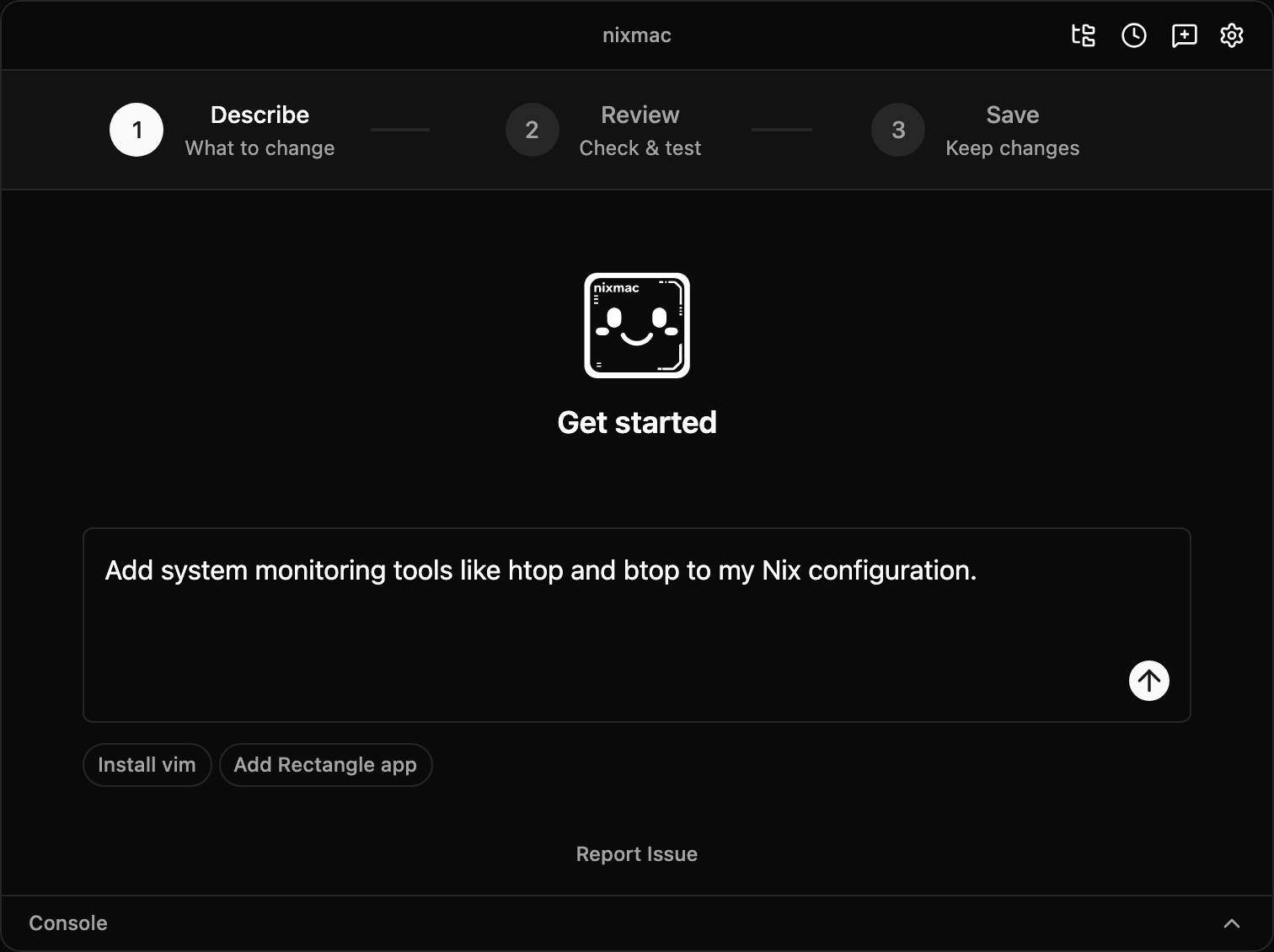
Build & Test
After the agent finishes editing, nixmac shows a Build & Test button:
- Click Build & Test — nixmac runs the nix-darwin build as your user, then activates the result with macOS administrator approval
- If the build or activation fails, you can paste the error back into the chat — the AI agent will diagnose and fix it
- If activation succeeds, the changes are live on your Mac but not yet committed to git
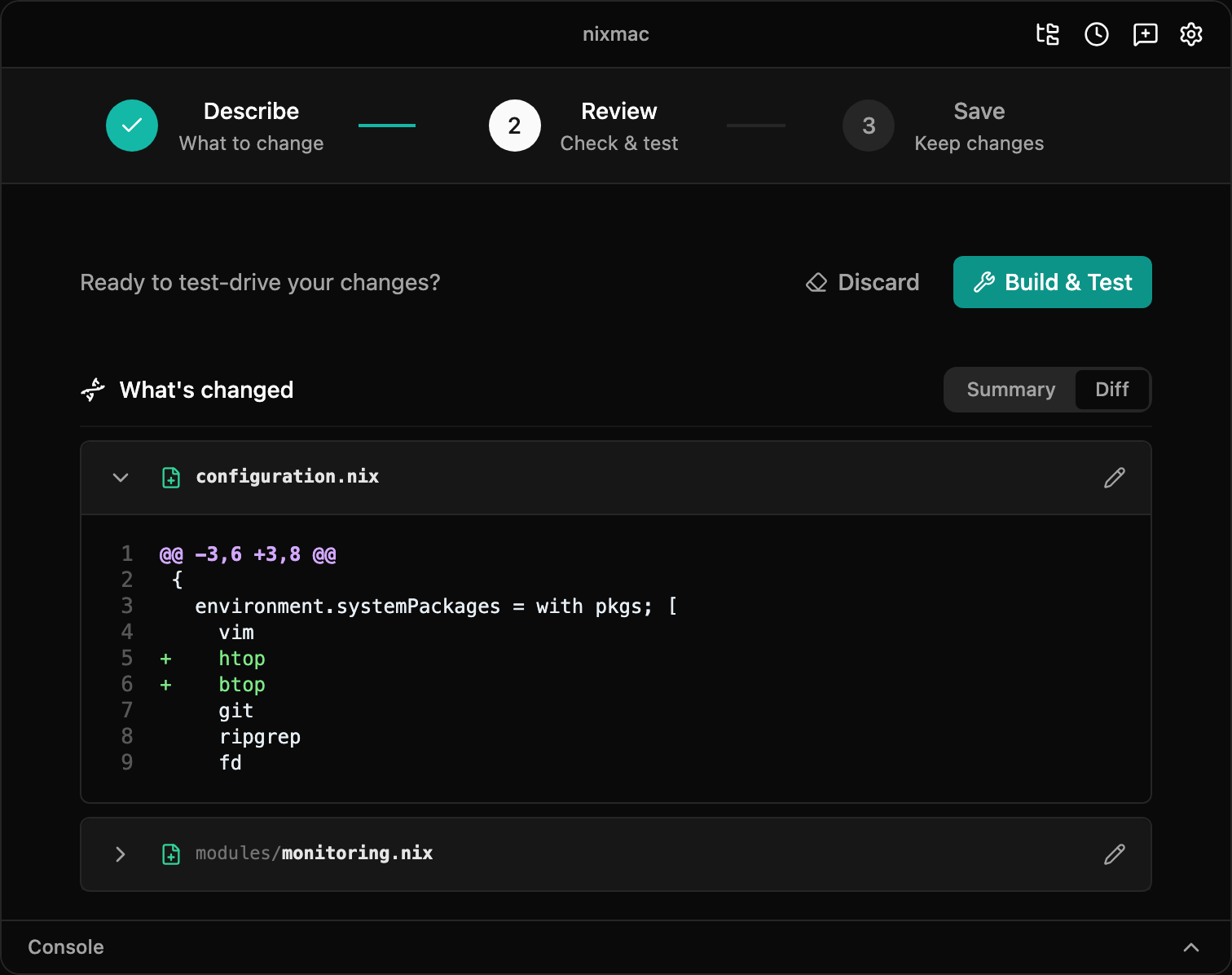
Commit or undo
After successful activation, nixmac shows which files changed, lines added/removed, and a suggested commit message:
- Commit — saves the active changes to git
- Undo All — restores the last committed config and rebuilds so the running system matches it again
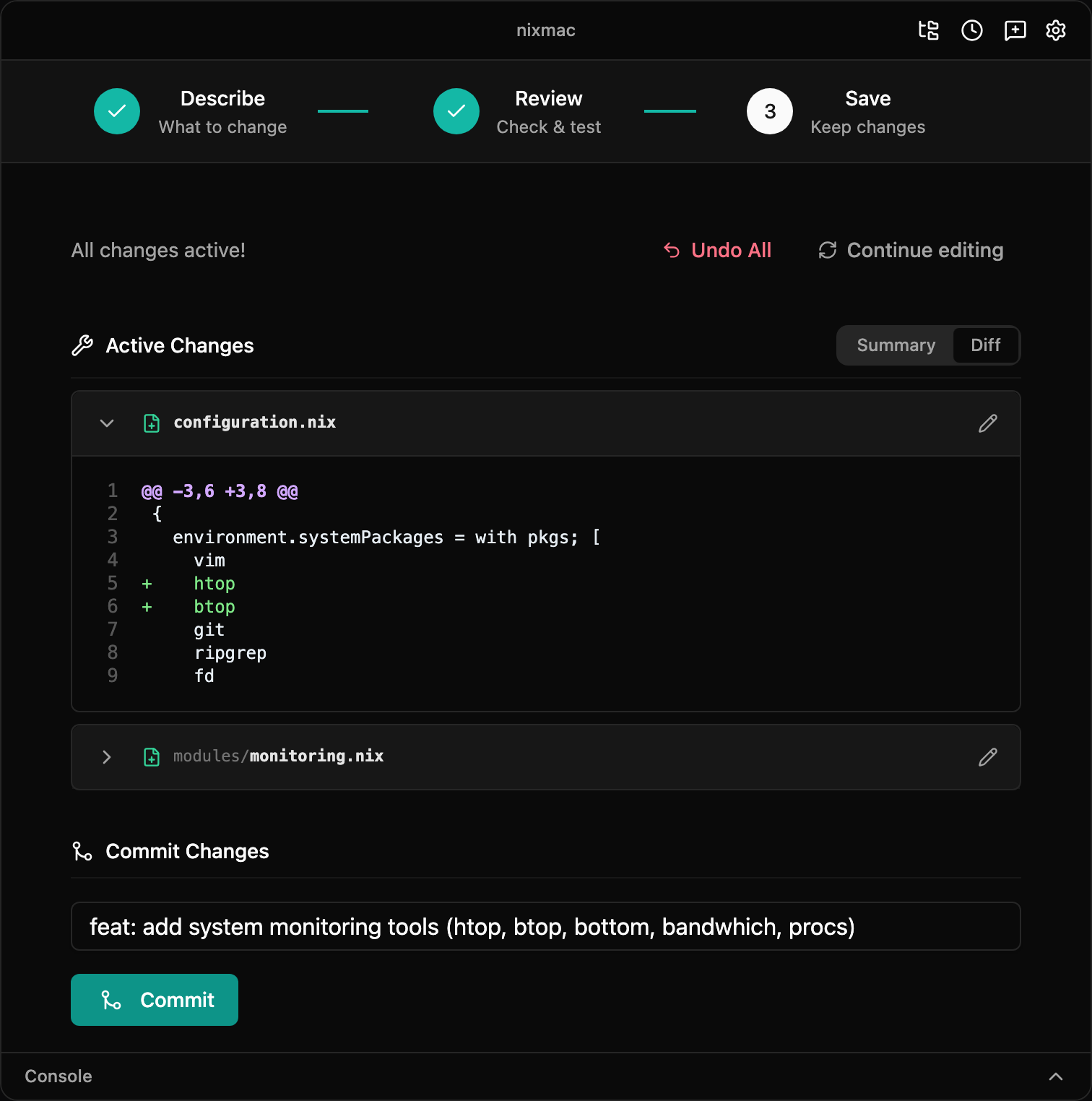
Reverting to a previous state
- Discard (before activation) — removes uncommitted config edits before they are built and applied
- Undo All (after activation) — restores the previous committed config and rebuilds to activate that previous state
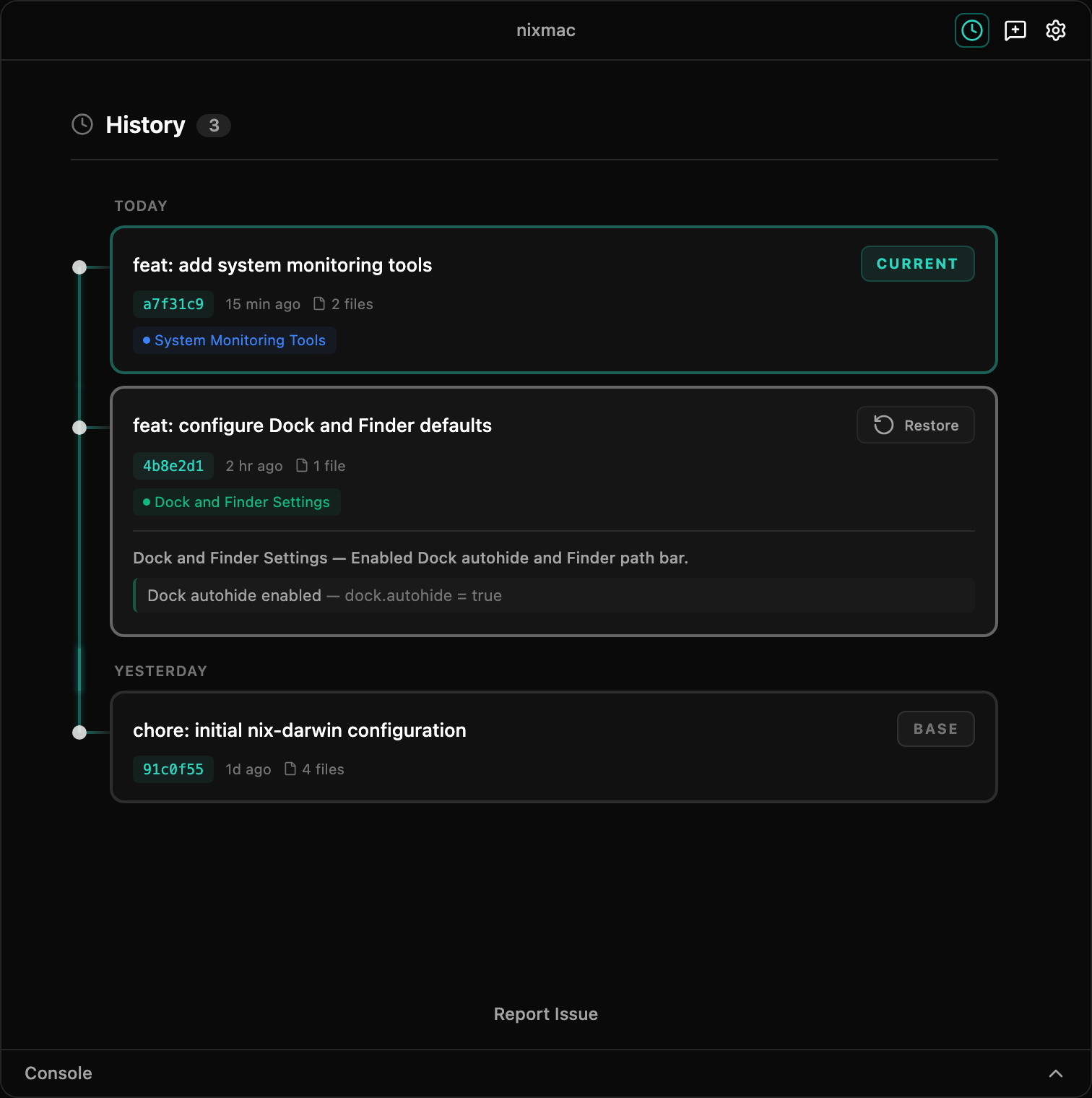
- Restore a commit (committed changes) — use the app's history view to select a previous commit. This creates a new forward commit from the target state (not a destructive
git reset), so history is preserved
CLI usage
The evolve command is available from the terminal:
nixmac evolve "install ripgrep and fd"The prompt is a required positional argument — it tells the AI agent what to do.
Options:
nixmac evolve "your prompt" --config /path/to/config
nixmac evolve "your prompt" --max-iterations 5
nixmac evolve "your prompt" --evolve-provider openrouter
nixmac evolve "your prompt" --evolve-model anthropic/claude-sonnet-4
nixmac evolve "your prompt" --out result.json
The CLI runs the same agent as the GUI. A conversational prompt (like "what packages do I have?") will return a text response without making any changes.
AI providers
nixmac separates provider credentials from model selection:
- OpenRouter — the supported cloud provider in the main UI. Add the key in Settings → API Keys, then use Settings → AI Models if you want to change the default Evolution or Summary model. Direct OpenAI keys may still work as a legacy fallback if already saved, but OpenRouter is the documented cloud path.
- Ollama — local models running on your Mac. No cloud API key is required; configure the base URL if your Ollama server is not on the default local endpoint.
- vLLM / LiteLLM — advanced OpenAI-compatible self-hosted or proxy endpoints. Use this only when you already run the endpoint yourself. Configure the base URL in Settings → API Keys, add an API key when your proxy requires authentication, and set the model name to a model your endpoint actually serves.
- Claude CLI and OpenCode CLI — advanced external CLI providers selected in Settings → AI Models. These use the CLI's own installation and authentication instead of a nixmac API key, and they can be less reliable for Evolve because tool calls are routed through CLI text output instead of provider-native tool calling.
Codex CLI may appear in current builds, but it is not a documented provider path right now. The current app invocation needs to be updated for the modern Codex CLI before it should be used for Evolve.
Credentials and endpoint URLs are configured through nixmac settings, environment variables, or the external CLI's own auth flow.
Under the hood
The agent uses structured editing tools (not raw text replacement) to modify your Nix files. For example, adding a package uses an edit_nix_file tool with an add action that understands Nix list syntax:
{
  "action": { "add": { "path": "environment.systemPackages", "values": ["ripgrep"] } },
  "path": "modules/darwin/packages.nix"
}
This ensures edits are syntactically valid and don't break your configuration's structure.