Flakes & Nix Interop
How nixmac uses Nix flakes and works with existing nix-darwin setups
nixmac generates and manages a Nix flake for your nix-darwin configuration. If you're already using flakes, nix-darwin, or home-manager, nixmac works with your existing setup.
nixmac's default flake
When nixmac bootstraps a new configuration from the app, it uses the bundled nix-darwin-determinate template. It is a regular nix-darwin flake with Determinate Nix-friendly defaults, including nix.enable = false, system.primaryUser, and Homebrew management enabled:
{
  description = "My Mac configuration";

  inputs = {
    nixpkgs.url = "github:NixOS/nixpkgs/nixpkgs-unstable";
    nix-darwin.url = "github:nix-darwin/nix-darwin/master";
    nix-darwin.inputs.nixpkgs.follows = "nixpkgs";
  };

  outputs = inputs@{ self, nix-darwin, nixpkgs, ... }: {
    darwinConfigurations."my-hostname" = nix-darwin.lib.darwinSystem {
      modules = [
        ./modules/darwin/packages.nix
        ./modules/darwin/defaults.nix
        ./modules/darwin/homebrew.nix
        # ... other modules
      ];
    };
  };
}
This is standard nix-darwin configuration — nothing proprietary. You can rebuild it independent of nixmac using darwin-rebuild switch --flake . (or sudo -i nix run nix-darwin/master#darwin-rebuild -- switch --flake . on Determinate Nix installs).
Existing nix-darwin configurations
If you already have a nix-darwin setup, point nixmac at it:
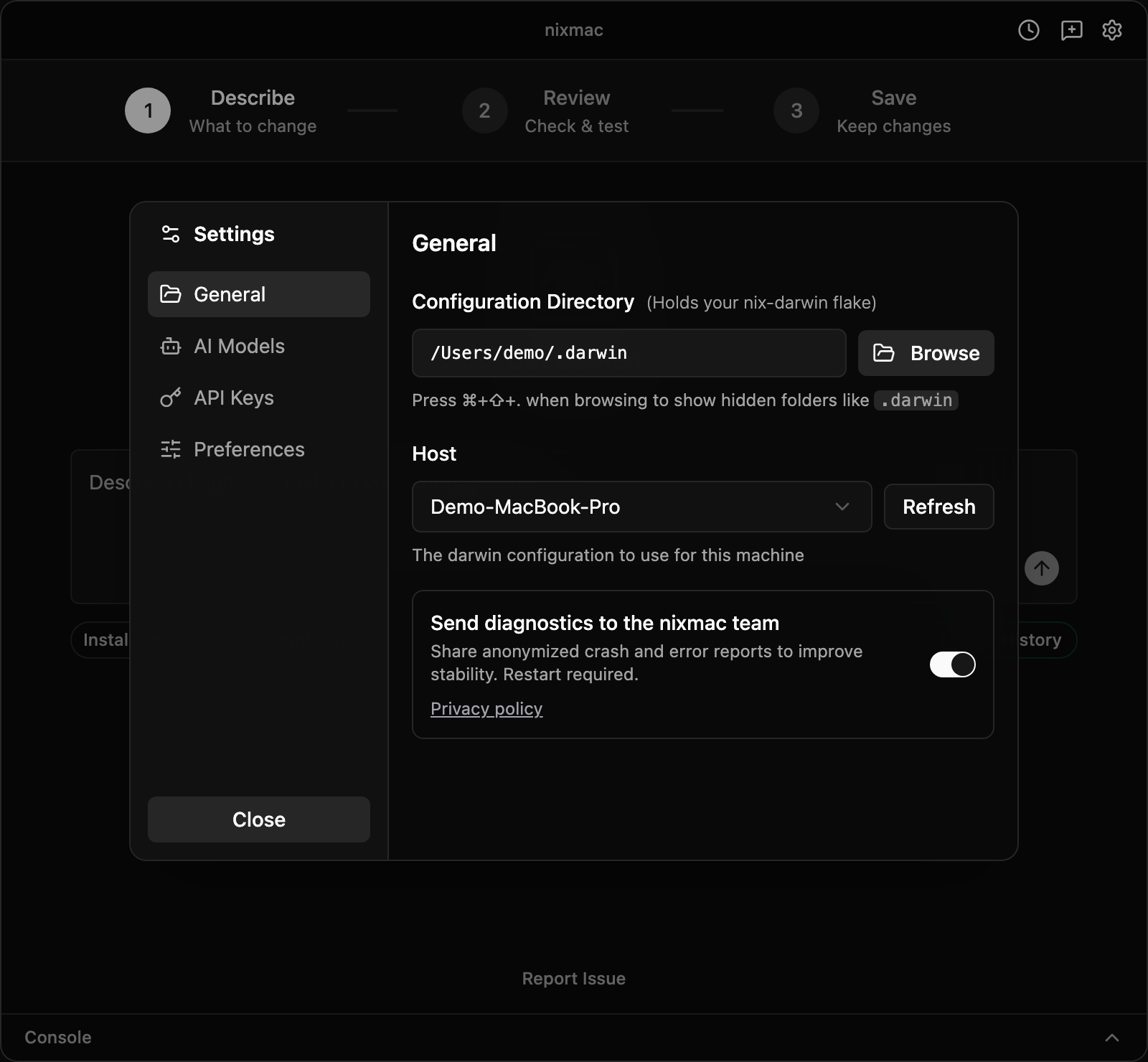
- Open nixmac settings
- Set the config directory to your existing flake location
- nixmac will read and work with your existing configuration
nixmac's AI agent understands standard nix-darwin module structure. It will edit your existing files rather than replacing them.
home-manager
nixmac's templates support home-manager as an optional input. To enable it, uncomment the home-manager lines in your flake.nix and add home-manager.darwinModules.home-manager to your modules list:
inputs = {
  # ...
  home-manager = {
    url = "github:nix-community/home-manager";
    inputs.nixpkgs.follows = "nixpkgs";
  };
};
The AI agent knows about home-manager and can configure user-level programs (git, zsh, neovim, etc.) through home.packages and program-specific modules.
Other templates in the repo
The repository also includes a nixos-unified template that uses flake-parts for more advanced manual setups:
{
  inputs = {
    nixpkgs.url = "github:nixos/nixpkgs/nixos-unstable";
    nix-darwin.url = "github:LnL7/nix-darwin";
    home-manager.url = "github:nix-community/home-manager";
    flake-parts.url = "github:hercules-ci/flake-parts";
    nixos-unified.url = "github:srid/nixos-unified";
  };

  outputs = inputs:
    inputs.nixos-unified.lib.mkFlake {
      inherit inputs;
      root = ./.;
    };
}
This is useful if you manage both macOS and NixOS machines from a single flake. The app's default bootstrap flow currently creates the nix-darwin-determinate template; use other templates manually.
Pinning and updates
Your flake.lock pins all input versions. nixmac respects this — it will not silently update your dependencies.
To update inputs, run:
cd ~/.darwin
nix flake update
Or update a specific input:
nix flake update nixpkgsRelationship to darwin-rebuild
Under the hood, nix-darwin uses darwin-rebuild switch to activate configurations. nixmac separates activation from commit:
- You (or the AI agent) edits
.nixfiles in~/.darwin/ - You click Build & Test in the nixmac UI
- nixmac builds the configuration, then activates the result with administrator approval
- You commit the active changes to record them in git
This is the same underlying nix-darwin activation model as using darwin-rebuild manually — nixmac automates the "edit files" step with AI and provides a GUI around activation, undo, and git history.